Unlimited products, unlimited stores
Connect as many destination sites as you need and sync your whole catalog, with no caps and no per-store fees.
Features
Manage your products once, and let them flow everywhere. Webshoptiger Catalog Sync handles the synchronization, the scheduling, and the safeguards, so your catalog stays perfectly aligned across every connected store, automatically.
Full feature set
Every capability you need to keep multiple WooCommerce stores aligned.
Connect as many destination sites as you need and sync your whole catalog, with no caps and no per-store fees.
Pick a schedule and Webshoptiger Catalog Sync runs in the background, retrying automatically if a connection drops.
Prices, stock, images, variations, every field syncs accurately, including complex variable products.
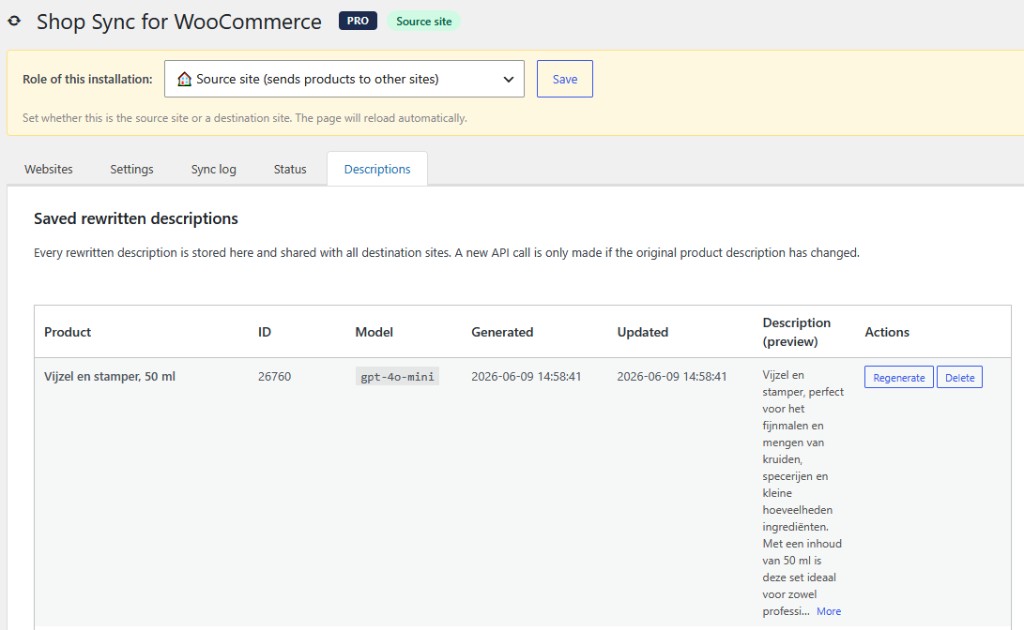
OpenAI rewrites copy for each storefront so duplicate content never hurts your SEO, cached to run once per product.
Categories and brands are auto-matched on each destination, with validation that prevents duplicates.
Choose exactly which categories go to which store, full catalog to one, a curated subset to another.
Products you didn't create are never touched, so your partners' own listings always stay safe.
Search by name, SKU, or ID and push a single product instantly, without waiting for the next run.
A live dashboard and activity log show every create, update, and skip, with automatic recovery if a run stalls.
Runs over the standard WooCommerce REST API, so destination stores need only an API key, no plugin required.
Inside the plugin
From first setup to live sync progress, here is what managing your stores looks like inside WordPress.
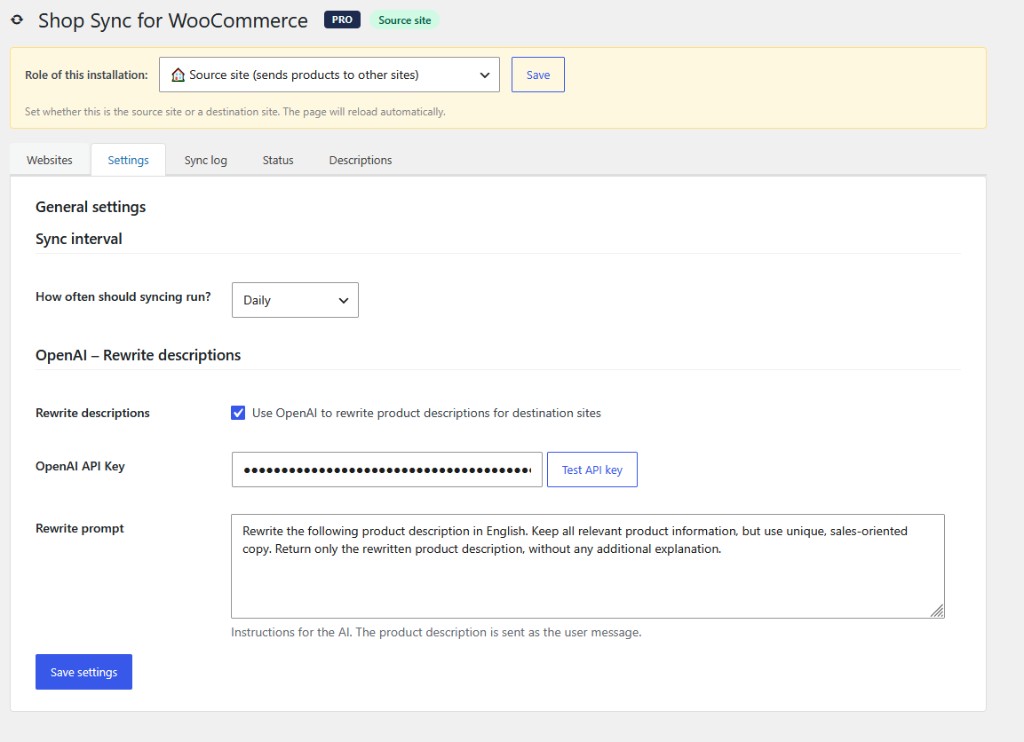
Start by telling the plugin what this installation is. On your main store, set the role to "Source site," choose how often syncing runs, from every 15 minutes to once a day, and optionally switch on AI description rewriting with your own OpenAI key and a custom prompt.
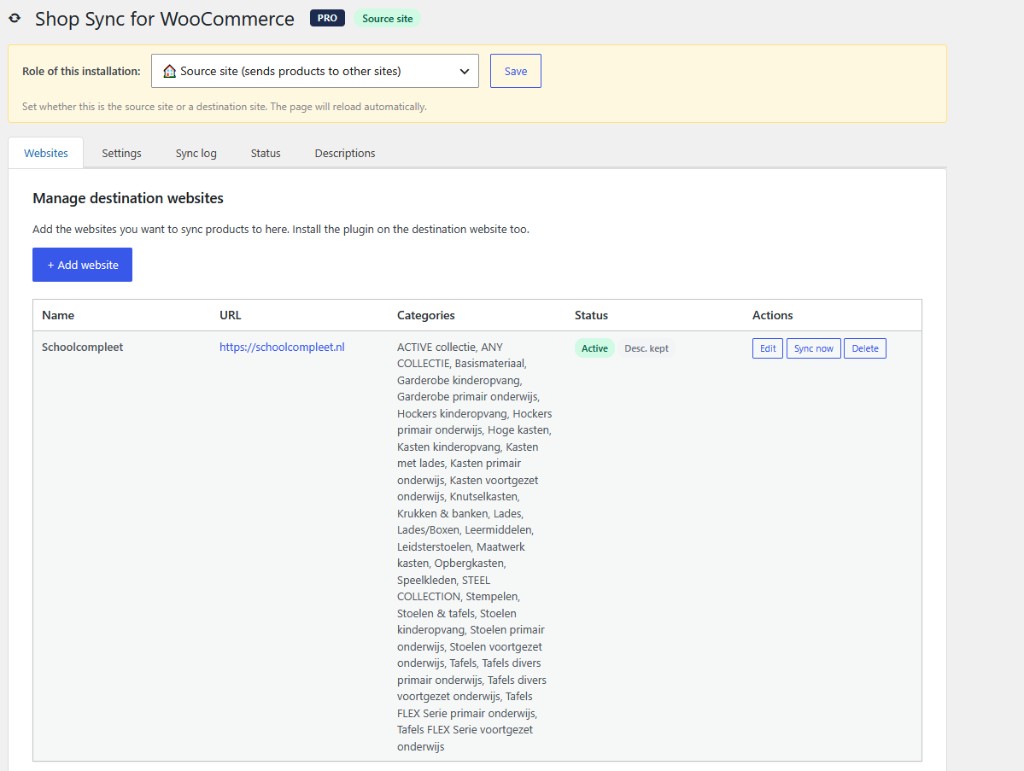
The Websites tab is your control center. Every destination store appears here with its synced categories, live status, and quick actions to edit, sync, or remove it, so you manage your whole network from one screen.
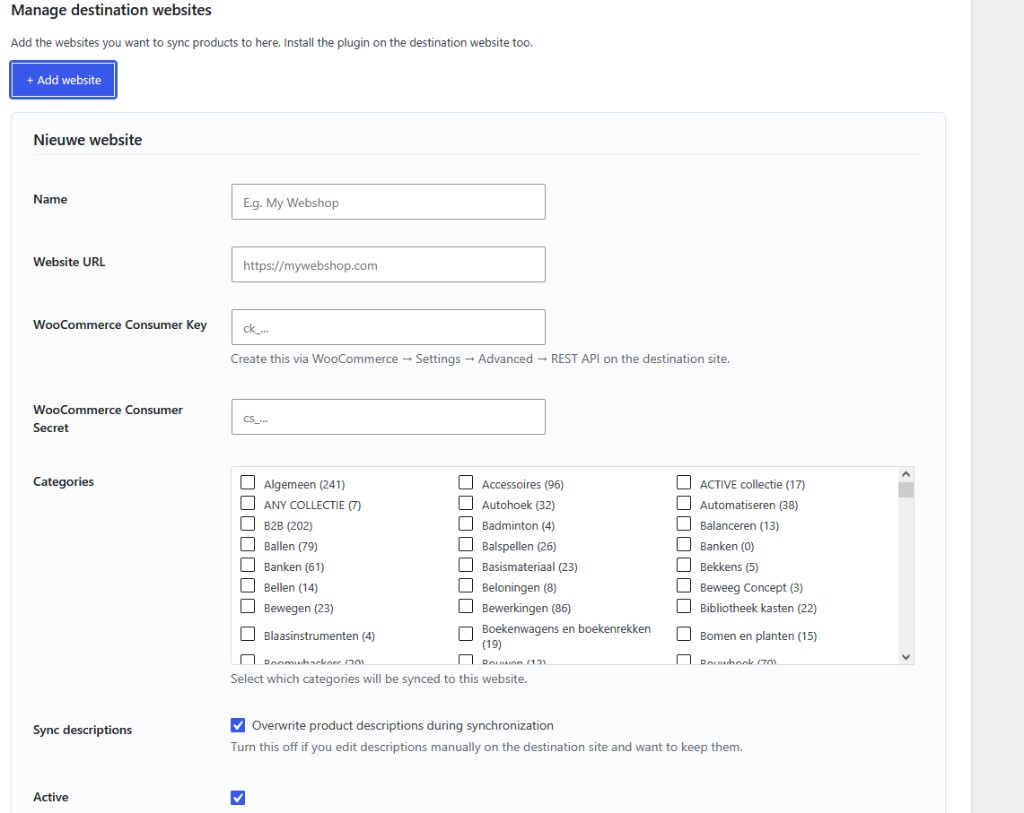
Connecting a new store takes a minute. Enter its name and URL, paste in the WooCommerce API key and secret, then tick exactly which categories should sync there. Send your full catalog to one partner and a curated subset to another.
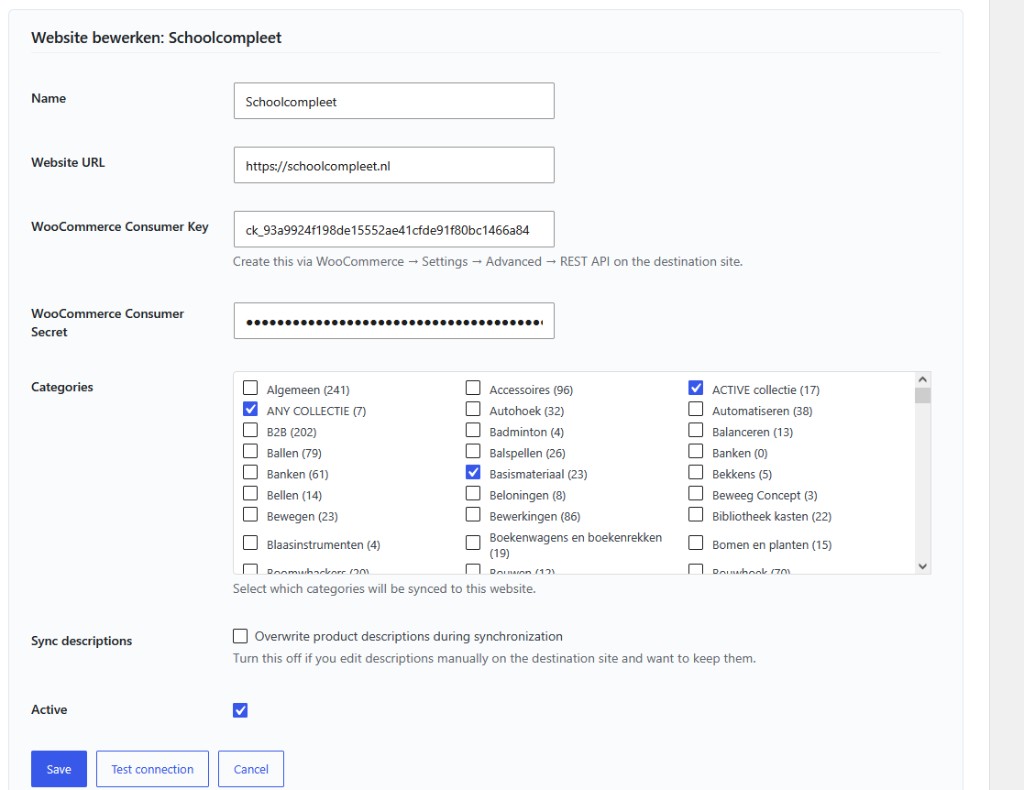
Need to change something later? Open any store to adjust its categories, decide whether descriptions get overwritten, and run "Test connection" to confirm everything's linked before the next sync.
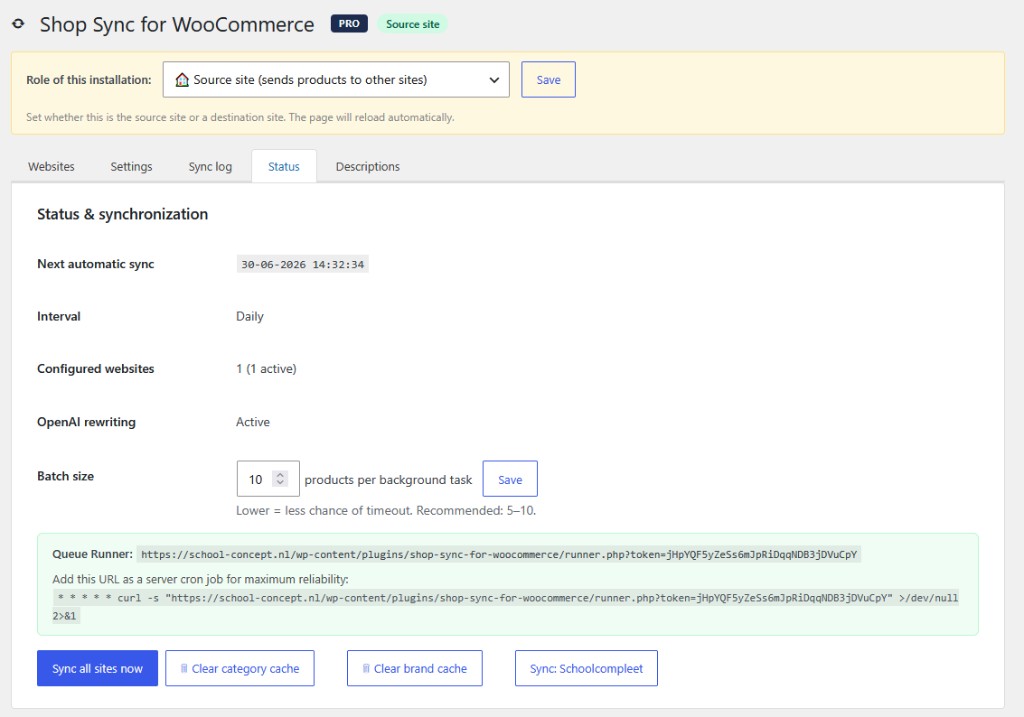
The Status tab shows exactly where things stand: your next scheduled sync, how many stores are active, and whether AI rewriting is on. You can tune the batch size for reliability or trigger an instant "Sync all sites now."
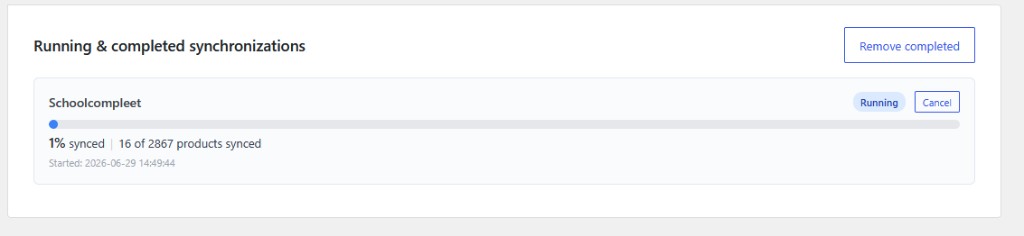
While a sync runs, a live progress bar tracks it, like "16 of 2,867 products synced." Large catalogs process safely in the background, so you can close the page and let it finish on its own.
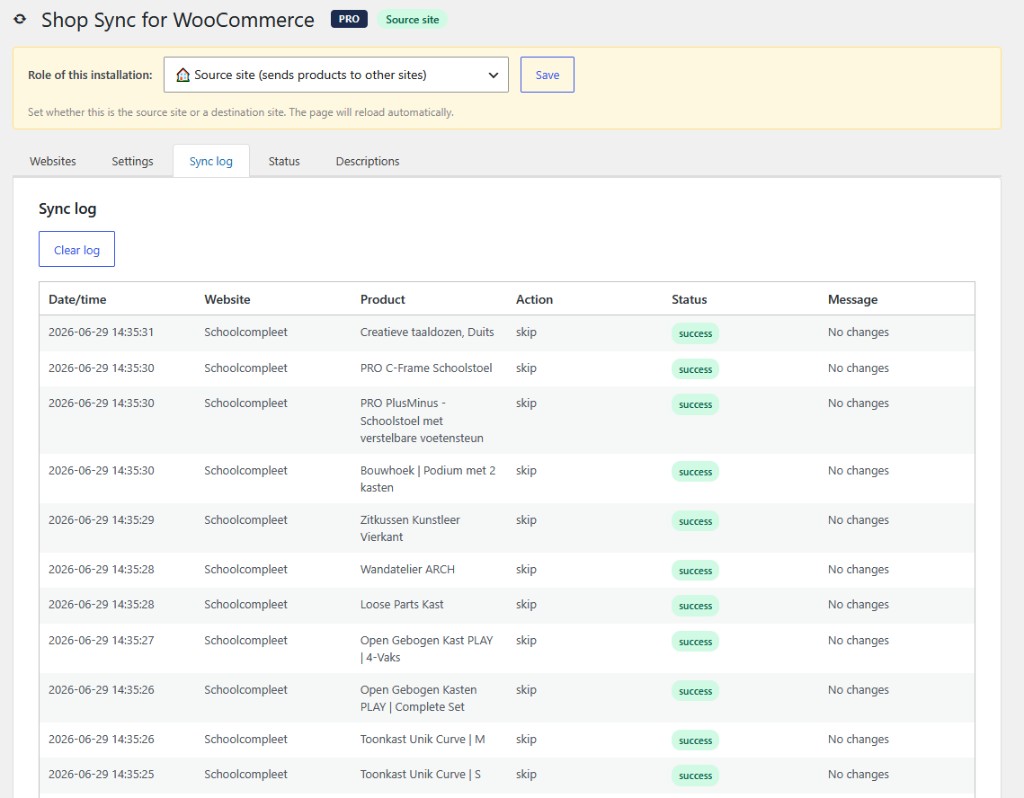
The Sync log records everything the plugin does, each product, the action taken, and whether it succeeded, with clear messages like "No changes," or an error flag if something needs attention. Nothing happens behind your back.
Every AI-rewritten description is saved here and shared across all destination stores. A new API call only happens when the original description actually changes, so you get unique, SEO-friendly copy without paying to regenerate the same product twice.